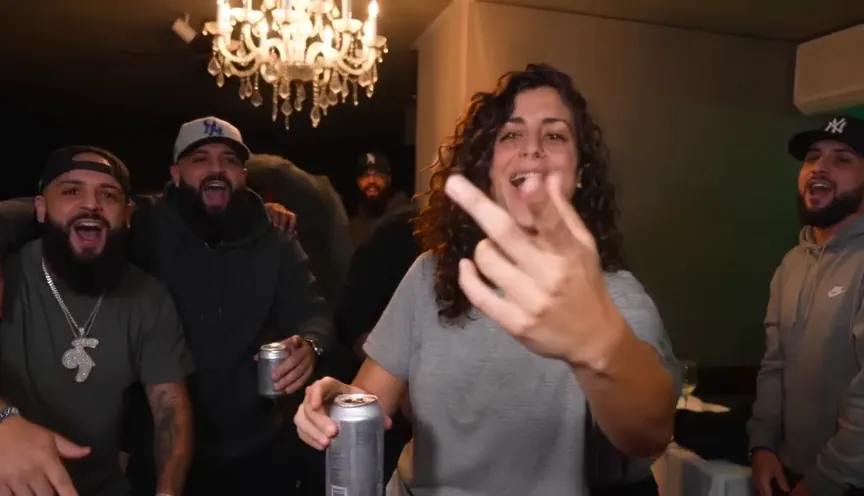
Hier ist der genaue Prompt, mit dem wir unsere Videos erstellen. Kopier ihn in ein KI-Videotool mit Referenzfoto – oder lade dein Foto hier hoch und leg direkt los.
Der Ablauf
Fünf Szenen, zehn Sekunden
Jede Szene ist ein Beat des Trends. Der Jubel kommt am Schluss.
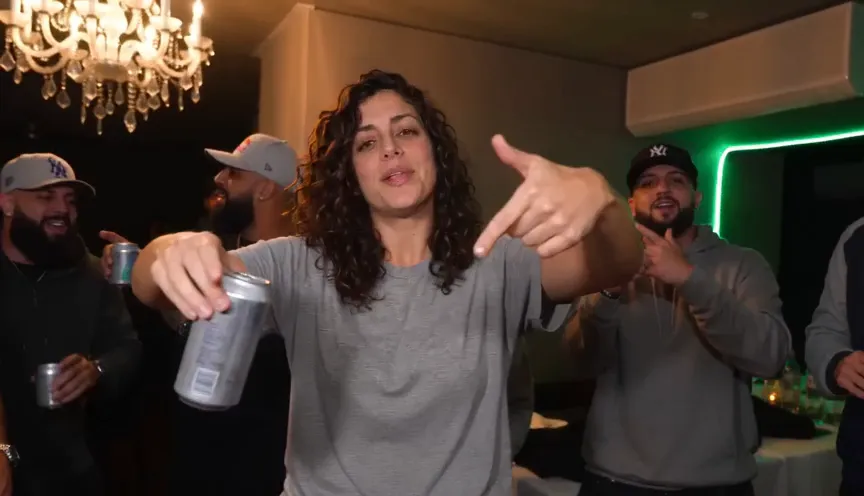
00:00Zeigt mit den Fingern auf die Kamera, Becher in der anderen Hand
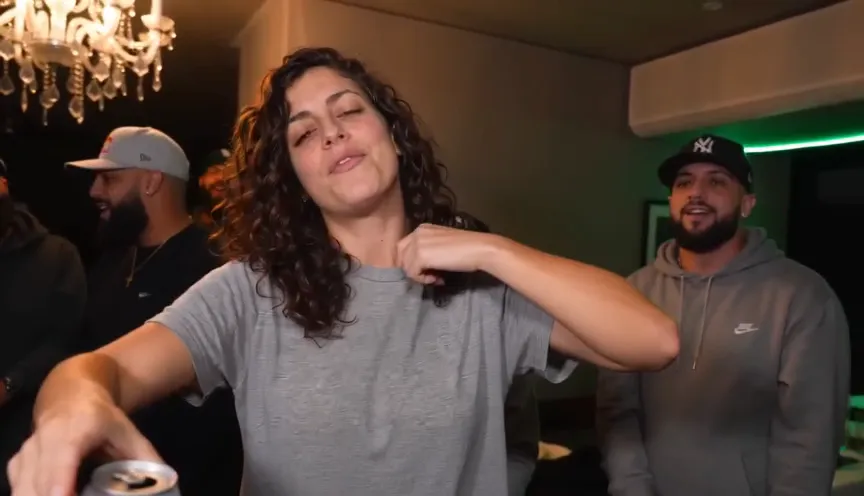
00:02Hand am Kragen, Kinn hoch, formt die Worte mit den Lippen
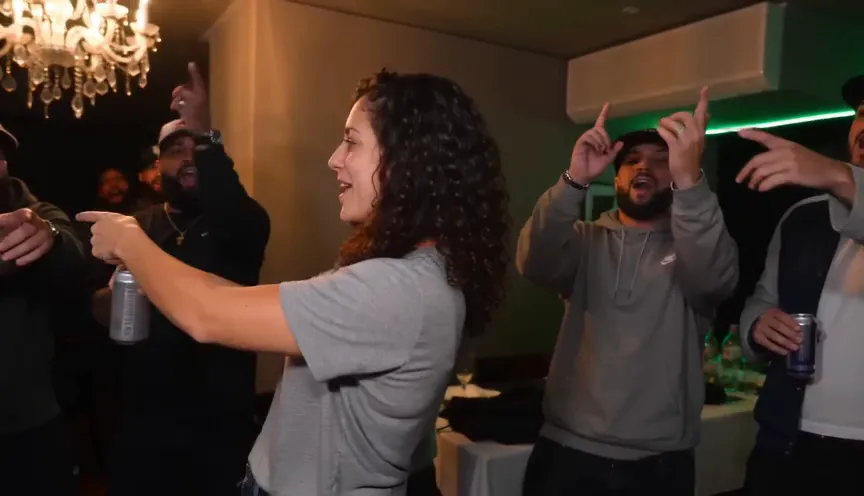
00:04Dreht sich um und zeigt auf die Freunde
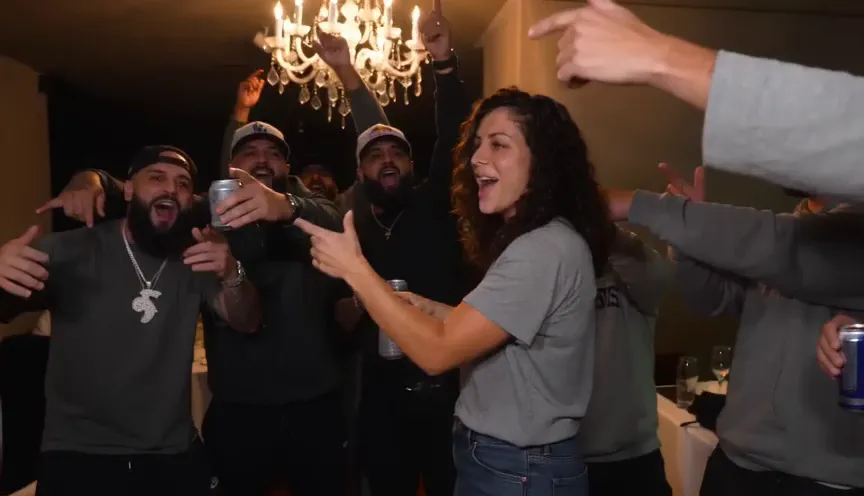
00:06Die Freunde rücken näher und feuern sie an
00:08Lacht und zeigt auf dich, während alle jubeln
Prompt kopieren
Zwei Versionen
Füge dein Foto als Referenzbild hinzu, kopiere den Prompt und stell die Länge auf 10 Sekunden.
Für eine Person
A vertical 9:16 party clip, exactly 10 seconds, photoreal live action in full colour, handheld phone camera close to the lead in the middle of a packed crowd. No text, no subtitles, no logos, no watermarks.
Setting: a dim private dining room at night, ornate crystal chandeliers glowing gold on the ceiling, picture frames outlined in green neon on the walls, long tables with white cloths, warm amber light.
The lead is the person from your reference photo, standing in the centre of the frame: their face, hair, skin tone, build and the exact clothes they wear in the photo, sharp and recognisable in every shot. They hold a silver metal cup (a cup, not a can).
The lead is surrounded by a tight crew of eight to ten friends in streetwear and caps, packed shoulder to shoulder on both sides and behind, all hyped: dancing, raising silver cups, pointing at the lead, laughing and cheering. Every friend is a generic extra with their own face and nobody resembles a famous person.
The lead raps along the whole time: mouth moving in time with the beat, full of swagger, playing to the lens.

0-2s: close-up, the lead points finger guns at the camera, cup in the other hand, friends bouncing behind.
2-4s: rests a hand on their collar, chin up, eyes half closed, mouthing every word.
4-5.5s: turns to the friends at their side and points at them.
5.5-7.5s: the friends crowd in around the lead, pointing at them and hyping them up, a hand swings past the lens.
7.5-10s: the friends fill the frame around the lead, the lead covers their face laughing, then waves at the camera with the cup while everyone around throws their hands up and cheers.

Sound: an original hip-hop beat with a rap vocal that matches the lead’s lips, the crowd cheering. Not any real or recognisable song.
Für ein Haustier
A vertical 9:16 party clip, exactly 10 seconds, photoreal live action in full colour, handheld phone camera close to the lead in the middle of a packed crowd. No text, no subtitles, no logos, no watermarks.
Setting: a dim private dining room at night, ornate crystal chandeliers glowing gold on the ceiling, picture frames outlined in green neon on the walls, long tables with white cloths, warm amber light.
The lead is the animal from your reference photo, sitting up in the centre of the frame: its breed, size, coat colour and markings exactly as in the photo, sharp and recognisable in every shot. It wears a small black bow tie.
The lead is surrounded by a tight crew of eight to ten friends in streetwear and caps, packed shoulder to shoulder on both sides and behind, all hyped: dancing, pointing at the lead, laughing and cheering. Every friend is a generic extra with their own face and nobody resembles a famous person.
The lead bobs its head to the beat the whole time, full of swagger, playing to the lens.

0-2s: close-up, the lead lifts one front paw toward the camera, friends bouncing behind.
2-4s: chin up, eyes half closed, bobbing to the beat.
4-5.5s: turns its head to the friends at its side.
5.5-7.5s: the friends crowd in around the lead, pointing at it and hyping it up, a hand swings past the lens.
7.5-10s: the friends fill the frame around the lead, it shakes its head and ears with a flourish, then looks back at the camera while everyone throws their hands up and cheers.

Sound: an original hip-hop beat, the crowd cheering. Not any real or recognisable song.
Tipps
So wird das Ergebnis gut
01Nimm ein klares Foto: ein Gesicht, direkt in die Kamera, bei gutem Licht. Das Modell übernimmt, was es sieht.
02Lass die Szenen in der richtigen Reihenfolge. Modelle folgen einer getakteten Shotliste besser als einer losen Beschreibung.
03Lass den Hinweis auf Statisten drin. So übernimmt die Menge nicht dein Gesicht und sieht keiner berühmten Person ähnlich.
04Bitte um Rapgesang passend zu den Lippen. Lege anschließend den Burning-Bridges-Song darunter oder wähl beim Posten den offiziellen Sound.
Mit welchen KI-Videotools funktioniert der Burning-Bridges-Prompt?+–
Mit jedem Tool, das Videos aus einem Referenzbild und einem Text-Prompt erstellt. Füge den Prompt und dein Foto als Referenz ein und stelle, wenn möglich, 10 Sekunden ein. Reine Text-Tools können dein Gesicht nicht zuverlässig beibehalten.
Warum ist der Prompt in einzelne, getimte Szenen aufgeteilt?+–
Videomodelle halten die Reihenfolge getakteter Szenen besser ein als eine freie Beschreibung. Jede Szene ist ein Teil des Trends. So läuft das Video alle fünf Momente der Reihe nach durch.
Fügt der Prompt den Song hinzu?+–
Nein. Er fordert einen eigenen Beat mit Rap-Gesang, der zu den Lippenbewegungen passt. TryBurningBridges legt Burning Bridges über das fertige Video. In einem anderen Tool fügst du den Song beim Schnitt oder Posten hinzu.
Brauche ich den Prompt, um TryBurningBridges zu nutzen?+–
Nein. Lade auf der Startseite ein Foto hoch. Wir erstellen den Prompt und starten das Video für dich.