Do the Burning Bridges AI trend with your dog or cat
Turn one photo of your dog or cat into the Burning Bridges AI party clip: your pet trots out of the crowd, waves a paw and gets the whole table cheering.
4 min read · Updated
The short answer
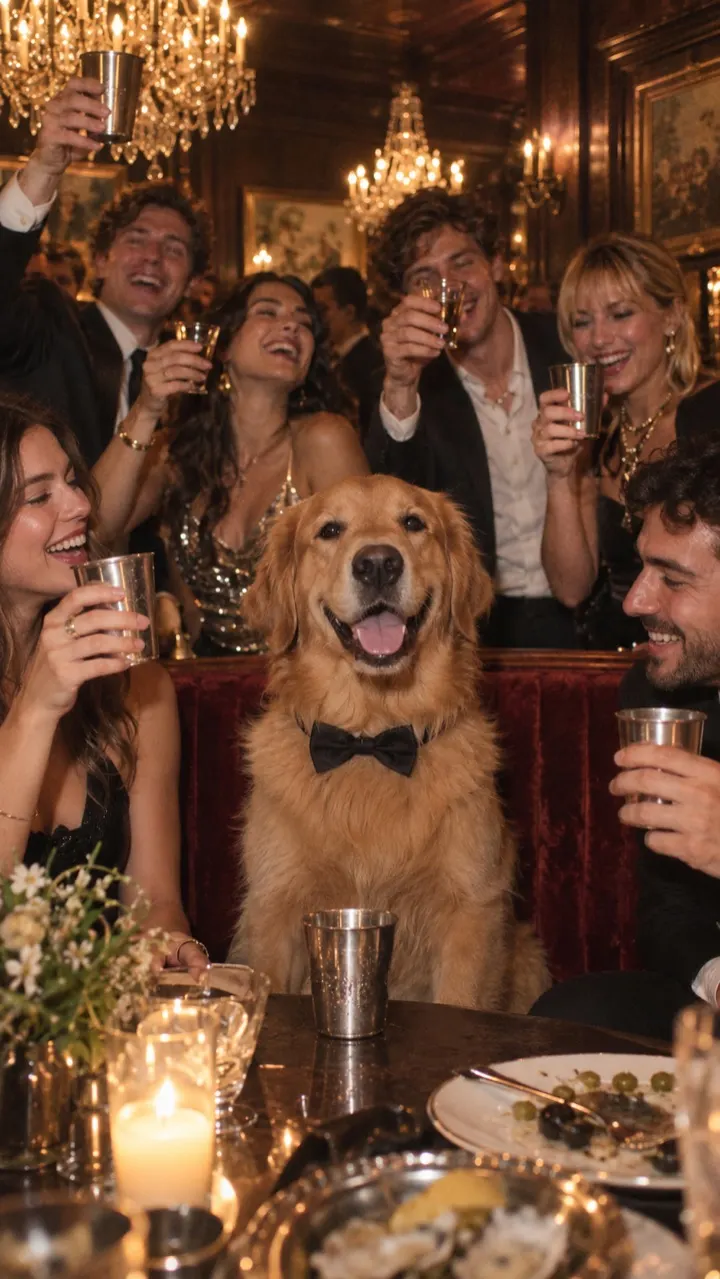
Yes, your pet can be the lead. Upload one photo of your dog or cat, choose Pet, and you get a silent 10-second clip where your pet trots out of the crowd, waves a paw from a velvet banquette and gets a standing cheer from the whole table. It takes about 3 minutes, and you add the Burning Bridges sound when you post.
What your pet does in the video
The pet version keeps the five beats of the trend, adjusted for four legs:
- 0–2 s: your pet trots out of the crowd toward the camera, head high, tail going.
- 2–4 s: a close-up as it sits up on a red velvet banquette and lifts one paw like a wave.
- 4–6 s: it bounces on the spot while the room dances around it.
- 6–8 s: it looks left, then right across the room, ears up, as if searching for someone.
- 8–10 s: it stands tall with its front paws on the table as everyone jumps up cheering.
Your pet wears a small black bow tie. Its breed, size, coat colour and markings stay as they are in your photo. The golden retriever on the examples page was made this way.
Picking the photo
- Get your pet looking toward the lens. A treat or a squeaky toy held just above the camera helps.
- Show the whole head and some of the body, so the coat and markings carry through.
- One animal only. A second pet in the frame confuses the lead.
- Use daylight from a window or outdoors in open shade. Dark coats need more light than you’d think.
- Keep it sharp. Pets move, so use burst mode and pick the clearest frame.
- Skip hats, costumes and heavy filters. The video adds the bow tie.
The photo guide has more on what works for people and pets.
Make it in five steps
- Upload your photo on the home page and choose Pet.
- Pick vertical 9:16 for TikTok and Reels, or wide 16:9 for YouTube and X. The format guide explains the difference.
- Choose Standard 480p, or HD 720p for a sharper picture. HD uses 2 videos from your pack. See pricing.
- Wait about 3 minutes. You can close the tab: we email you when it’s ready, and it stays in My videos.
- Download it and add the official sound. The sound guide walks through TikTok and Reels.
Dogs, cats and other pets
We built the pet version around dogs and cats, and those give the most reliable results. Other animals can work if the photo is clear and the face is easy to see, but we haven’t tuned the scene for them.
If a render fails for any reason, the video goes back into your pack automatically, so trying a different photo costs you nothing extra.
Caption ideas
- Their birthday, their party.
- Gotcha day, but make it black tie.
- Guest of honour, as always.
- When someone opens the treat cupboard.
Want more ideas? The trend ideas guide has pet, family and sports versions. Ready now? Upload your pet’s photo.
Questions
Can I do the Burning Bridges AI trend with a cat?
Yes. Upload a clear photo of your cat looking toward the camera and choose Pet. It’s the same party, with your cat as the guest of honour.
Can I put two pets in one video?
No. Each video has one lead, so use a photo of one animal. Make a second video for your other pet and post them together.
Can I be in the video with my pet?
Not in the same video. Each one has a single lead from a single photo. Make one of you and one of your pet and post them back to back.
Does a pet video cost the same as a person?
Yes. A Standard 480p video uses 1 video from your pack and HD 720p uses 2, whoever is in the photo. Packs start at $4.99 for one video.