How to Make the Crazy Frog AI Video (Invisible Moped)
How the Crazy Frog invisible moped trend works: the song behind it, its five beats, the right photo, posting with Axel F and filming the squat yourself.
5 min read · Updated
What the Crazy Frog AI trend is
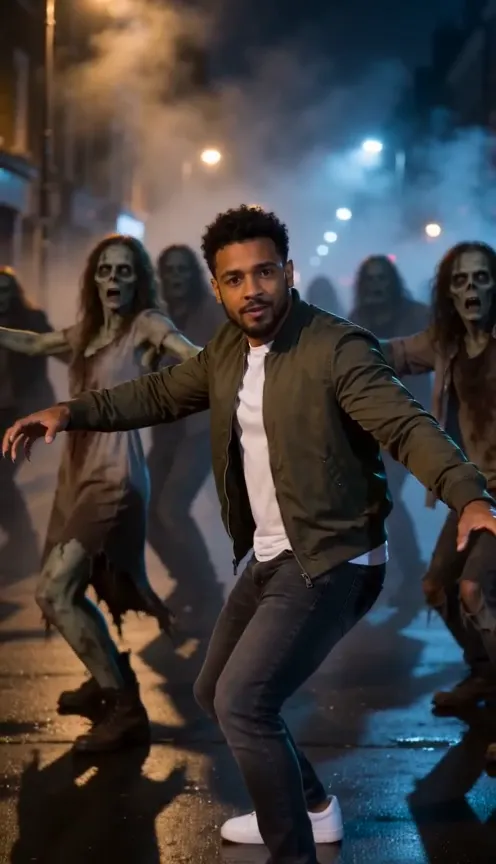
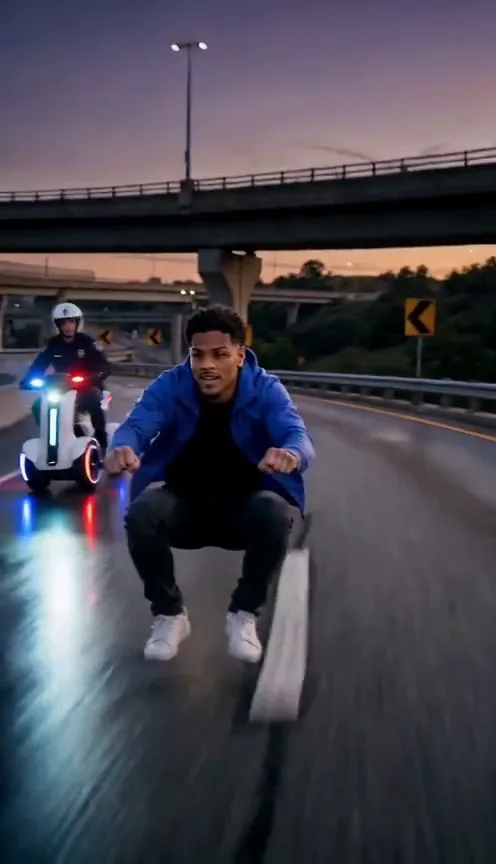
The Crazy Frog AI trend redoes the chase from the old Crazy Frog music video with real people. Instead of a cartoon frog, a person hovers in a deep squat above a highway, knees wide and fists gripping handlebars that don’t exist, while a cop on a hover-bike follows. Partway through they flip upside down, drop back into the pose and keep going.
The song is Crazy Frog’s Axel F, a dance cover of the instrumental theme Harold Faltermeyer wrote for Beverly Hills Cop; the title comes from the film’s detective, Axel Foley. The famous ring-ding noise started as Daniel Malmedahl imitating a two-stroke engine with his voice. Animator Erik Wernquist drew a character to match it, the ringtone company Jamba! renamed it Crazy Frog, and the song came after. That backstory explains the missing moped: the noise you hear is the bike.
The Crazy Frog AI page builds the whole chase from one photo. Here’s how the clip is put together, which photo to use, how to post it and how to film the squat yourself.
The five beats
The clip lasts 10 seconds and doesn’t slow down. This is what happens and when:
- 0:00, the squat: you float over a curving overpass at dusk, fists forward, road signs streaking by.
- 0:02, the cop: a white hover-bike with flashing lights pulls in behind you.
- 0:05, the kick: you spring up out of the squat as if the air were a trampoline.
- 0:06, upside down: a full flip above the road, the cop still following.
- 0:08, ride on: you drop back into the squat and speed off under the overpass.
What sells it is commitment. A half-hearted squat falls flat; a dead-serious face and a huge grin both work, as long as you hold it all the way through.
Making it from one photo
- Go to the Crazy Frog AI page and upload one photo of yourself.
- Make sure there’s only one face in it and that it looks toward the camera.
- Start the video. It’s ready in about three minutes, and we send an email, so you don’t need to keep the page open.
- Watch it with the sound on: the squat, the cop, the flip and the ride-off should come in that order.
- Save the MP4. It’s 9:16 vertical, with Axel F already playing and no watermark.
One video is $6.99, and a pack of 4 or 12 costs less per video. You don’t subscribe to anything, unused videos never expire, HD 720p uses two videos from your pack, and a failed video is put back into your pack. See the pricing page for the packs.
What photo works best
Unlike costume trends, this one keeps your own outfit, so your photo decides both the face and what you ride in.
- One person, facing the camera, eyes clearly visible. Sunglasses or a hand near the face make the result look less like you.
- Daylight or bright indoor light. Dim, grainy photos tend to come out soft.
- A photo that shows your jacket or top helps, because those clothes go onto the rider.
- A selfie is enough; you don’t need a full-body shot.
- Celebrity photos are refused. If the photo is of someone else, get their OK first.
Posting it with the sound
Axel F is already in your file. Adding the same sound in the app is what links your post to the trend, so people tapping the sound on other videos can find yours.
- Upload the video to TikTok, Instagram Reels or YouTube Shorts.
- Tap Add sound and search Crazy Frog Axel F. Searching Axel F alone often turns up the film original first.
- Slide the original sound down to zero so the song doesn’t play twice.
- Watch the draft once. If the added sound drifts out of step, move its start point.
- Post with a short caption, and mark it as AI-generated where the app asks.
If the app won’t offer the sound, as happens on some business accounts, post with the original audio instead. The song is already there.
Filming it yourself without AI
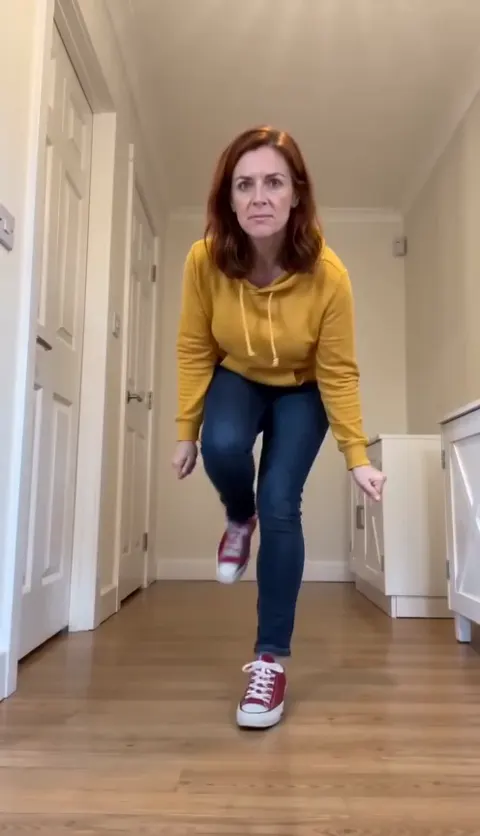
You can’t float, but the squat costs nothing, and a low, moving camera does a lot to fake the speed.
- Find a flat, empty spot such as a quiet parking garage or a closed path, well away from moving cars.
- Sink into a wide squat with both fists forward, as if you’re holding handlebars.
- A friend films upright from close to the ground and walks backward while you shuffle forward, so the background slides past.
- Lean into imaginary curves and keep your expression locked in.
- For the cop, have a second friend roll along behind on a bike or scooter with a phone light blinking.
- Fake the flip: jump up out of frame, cut, then land in the squat in the next clip. Join the clips in any editor and add Axel F.
- Don’t try a real backflip unless you’ve trained for it.
- Dusk light and a wet surface give you the shiny-road look from the trend.
- Shorter clips are easier: hold the squat for three or four seconds at a time and cut between them.
Questions
What song is the Crazy Frog trend?
Axel F by Crazy Frog, a dance version of the Beverly Hills Cop theme. Search Crazy Frog Axel F to get the right one.
Who is the cop chasing me?
A rider on a white hover-bike, made up for each video. It never uses anyone’s face, so your own photo is all you need.
Can I make it horizontal?
No. It comes in 9:16 vertical only, sized to fill the screen on TikTok, Reels and Shorts.
Is it safe to film the squat for real?
The squat is, on flat ground away from traffic. Leave the backflip to the AI unless you’ve trained for it.